
Backstory
This weekend, I decided to revisit my old GitHub account (@invvk). Mostly for nostalgia but also to recover a few repositories that are actually worth putting on my resume.
I assumed this would be a quick 20 minute task...
It wasn’t.
What followed was a cascading failure caused by small, seemingly harmless decisions that ultimately locked me out of this account for good.
The reason I abandoned the account was simple (and logical at the time): I wanted to separate my professional work from my early Minecraft-era Java plugin development.
And I must admit.. expectations were not met, and my new github isn't any better than the old one..
Anyways, That decision was made back in 2022. Since then, the account sat untouched.
I used to log into it occasionally — maybe every couple of months — and everything worked fine. That created a false sense of security (and you will see why in a second).
So in 2026, I decided to open that time capsule again.
That’s when everything broke.
Two Factor Authentication
As expected, I forget the password for this account (who wouldn't, especially for an abandoned account).
It wasn't a big deal, I could just reset it because I still have access to the email.
Everything was smooth until I clicked on the reset link and the page opened and poof.. It asked for 2FA Code (TOTP).
Still no panic, I just fired up the Authenticator App thinking that I have it here somewhere — no way I do not have it because I'm always carfeul with these things.
But.. It was no where to be found..
Policy & Technology Change
I didn't remember enabling 2FA on this account. Historically, It was able to log in just fine without being prompted to do it.
After digging through my old emails, I found the truth: I did enable 2FA back when I created my account in 2020.
So why wasn’t I prompted before?
- Pre-2024 GitHub behavior: GitHub didn't strictly prompt 2FA. Long lived sessions and trusted devices often bypassed repeated prompts.
- Google Authenticator Situation: Before april 2023, The Google Authenticator App had NO CLOUD SYNC. When I changed devices, all my codes were lost (including GitHub). However, I did not realize that because it been a long time since I was prompted to enter 2FA code.
- Authenticator migration: This again was done after losing all my 2FA codes on the Google Authenticator App, and again I did not take GitHub into account.
This created a perfect failure scenario: I had 2FA enabled… but no longer had access to it.
SSH Key
After digging into GitHub support document, I figured that I still haave a chance: use an existing SSH key.
Perfect — I still had the old ssh key linked to the account.
So, I initiated the process to recover.. and to my surprise, the account was not eligible for ssh key recovery. In fact, it was not eligible for ANY recovery method.
This blew my mind away.
As it turns out, GitHub expires your ssh key after 1 year of inactivity.
and what happened is: GitHub had SILENTLY expired it.
NO Emails, NO Reminders, NO WARNINGs.. Just gone...
Combine that with:
- A freshly reset computer
- ~2 years of inactivity
And suddenly, my device was no longer "trusted"
That recovery path was 100% dead.
Backup Codes
So again, after digging into GitHub support document my only shot was to recover using a backup code.
Well, I had no idea where I saved them. And within the span of abandoing the account + inactivity, a lot changed in my life:
- Relocated to a new country for College
- Graduated College
- Got a J*b
and many other situations I do not want to disclose for my own privacy.
My only clue was a KeePassXC database that I haven't touched since forever. That is the only place I could think of on where my younger self could have stored those backup codes.
Unlocking the Database
My last hope was this KeePassXC database where I might have stored backup codes.
Well, I couldn’t unlock it..
I had designed a complex password system based on transformations of multiple words, and I completely forgot how it worked.
Brute force? Not viable. the number of combinations for a possible password is greater than the number of atoms in the observable universe.
So, I had to narrow it down.. and I succeeded at it.
However, as also turns out the database required a keyx file to unlock.
I was able to find the key, but it was zipped and encrypted with a password... To say the least, it is cryptographically impossible to unlock this database with the given conditions.
Truly marvelous work from my younger self — Defense in Depth (but taken to the extreme)
you must follow the process that was put in place to unlock the database. If you forget one piece (is it real?) of the puzzle, you are done... locked out for good.
I'm impressed that a 15 year old managed to make things so freakingly annoying.
Good security instincts, but over-engineered self-recovery design.
future me will be able to reconstruct this if he thinks hard enough
Sigh.. I can't compete with this madness. I'm too old for this..
ARA (Account Recovery Analyzer)
This embarassing failure lead me to build a simple tool that analyzes risk of disasterously losing access to your GitHub account.
It evaluates how likely you are to lose access to your GitHub account based on your current setup.
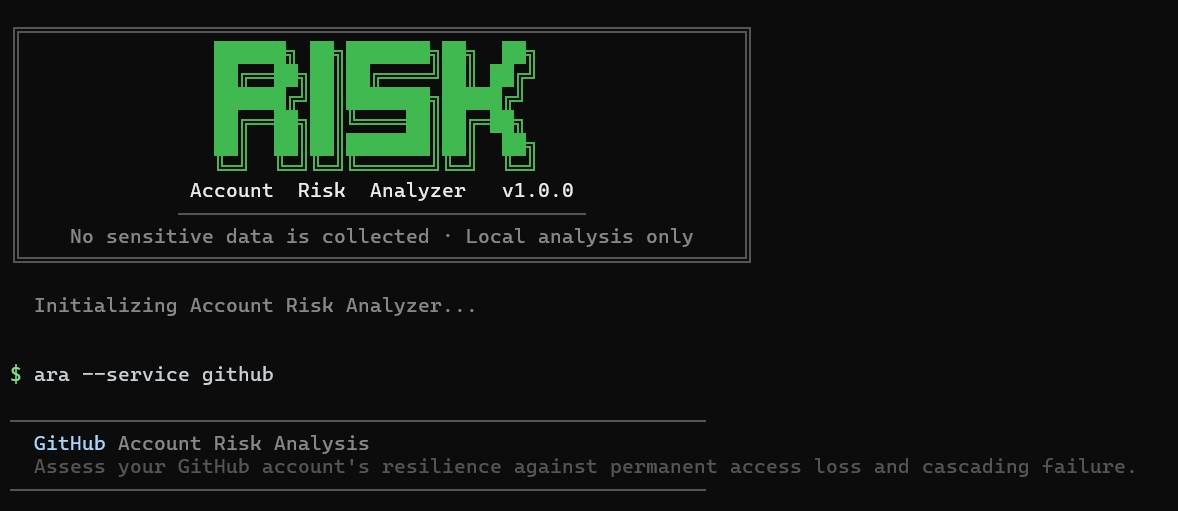
You can run via CLI
npm i -g @malekd5/aranpx araor use the web version: https://ara.malekd5.com
- 100% Local
- Stateless
- No Data Collection.
It will ask you a series of questions, and based on your answers it will give you:
- A risk score (higher = more likely to lose access)
- Actionable recommendations.
The goal is simple: help you avoid ending up in this situation.
Ironically, the source code is available on GitHub: https://github.com/malekd5/ara
What You Should Do (Seriously)
Here is a quick general recommendations the ARA Tool might give you
Redundancy.. Then more redundancy
Have multiple recovery paths:
- Passkeys
- Backup codes
- Active SSH keys
- Trusted devices
- GitHub mobile app (yes really I'm being serious)
Backup Codes
- Print them
- Store them in at least two physical locations
- Keep a digital copy on a secondary device
- Name your first child with one of the backup codes
Passkeys
- Set them up (takes 2 minutes, no reason for laziness)
- Add one per device (or you could use a service to sync them)
- Phishing-resistant and recovery-friendly
Conclusion
To State the obvious: Check your recovery options now.
NOT LATER.
Because everything will look fine… until the exact moment it isn't.. And by then, it’s already too late.
Thank you for reading this article — and follow me on Twitter for more interesting predicaments like this.
Table of Contents